
Outcome
Your invitation, just as you designed it
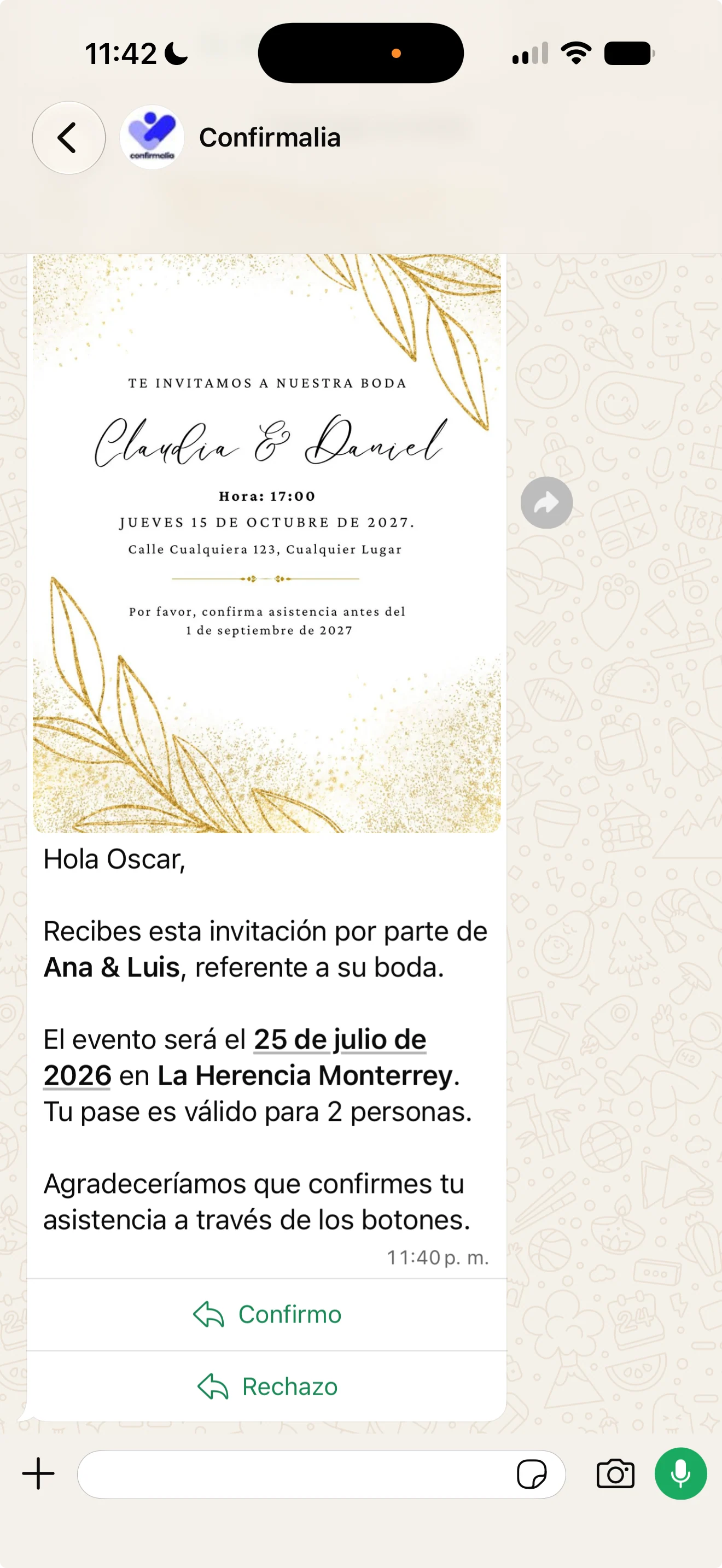
Upload your image or PDF, and the message is built with your event’s names, date, and venue.
Send your invitation on WhatsApp with your design and event details. Guests reply with one button, and you see every answer instantly.
With your image or PDF, RSVP buttons, and live answers.
No forms or links nobody opens. Guests get the invitation on WhatsApp and reply right there.
Upload your image or PDF, and the message is built with your event’s names, date, and venue.
One button to accept and another to say they can’t make it. Nothing to download, no accounts.
Every answer shows up in your dashboard in real time, and the Confirmalia app sends you a notification.
No more copying and pasting messages one by one.
Add your invitation image or PDF and preview the message before sending it.
Pick all your guests or just a group, and send in one click.
See who accepted, who can’t make it, and who hasn’t replied, without asking anyone.
Confirmalia keeps the conversation going for you.
After accepting, guests answer what you need to know: menu, allergies, or plus-ones, one question at a time.
Send thank-yous and instructions, plus messages only for those who need them, like parking details for parties of more than two.
It retries automatically, and you can resend it in one click. Guests in the US and Canada can also get it by SMS.
Send the couple or your client a link to see RSVPs without logging into your account.
No. The invitation arrives on their WhatsApp and they RSVP with one button.
Yes. Upload your invitation image or PDF, and Confirmalia sends it along with your event details.
After two days they get an automatic reminder with the same RSVP buttons.
You create your event for free and only pay for each invitation you send. No subscriptions or monthly fees.
Your design, your guests, and their answers, all in one place.